Several months ago, as part of my internal move to the “IdP” team at Nextcloud, I started to co-maintain the user_saml application. This application allows Nextcloud users to implement single sign on with the SAML and Kerberos protocol. This protocol is based on XML and is mostly used in combination with Active Directory Federation Services (AD FS), Microsoft Entra ID, Authentik, Okta, Google Workspace and more.
New Admin Settings
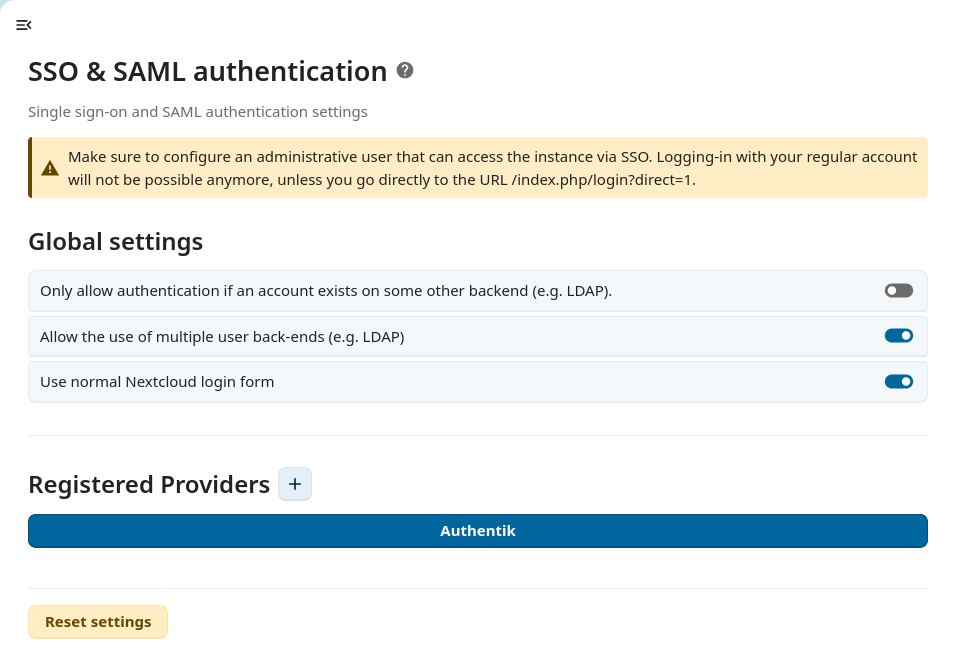
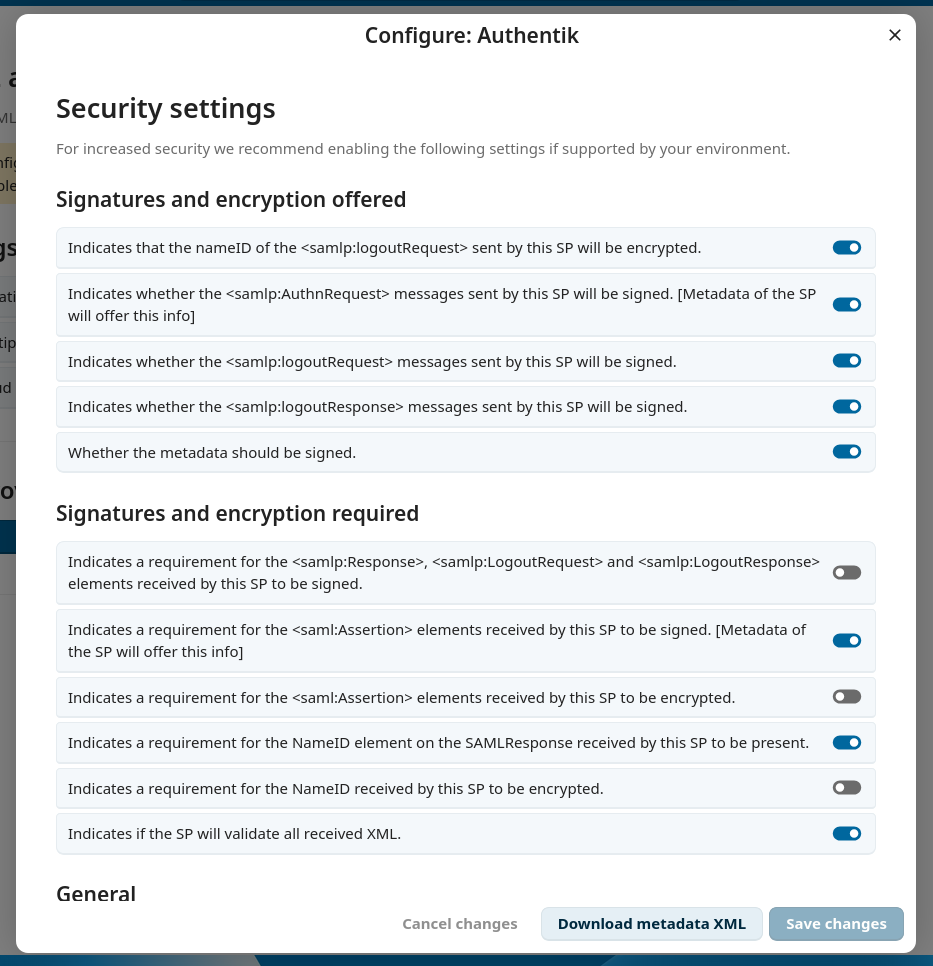
The most visible change for administrators is the new admin interface to configure SAML. I completely rewrote it from a mix of PHP templates and jQuery to Vue3. This allows the interface to make use of all the @nextcloud/vue UI components and improve the user experience for admins who want to set up SAML on their instance. The user interface is now also more similar to the OIDC integration.
Nextcloud Login Form
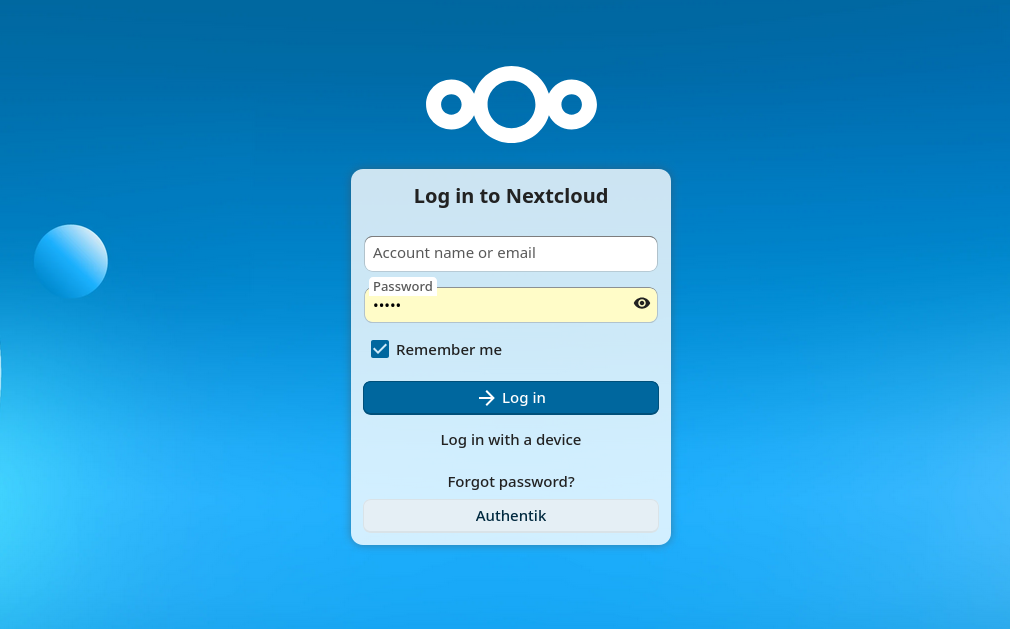
The SAML app provides its own login page and previously didn’t integrate at all
with the default one from Nextcloud. We had an interface IAlternativeLogin to
expose one alternative login provider but it had to be static, this allowed,
for example, the registration application to expose one Registration
button, but wasn’t enough for applications exposing a variable number of login
providers like the user_saml and user_oidc do.
Since Nextcloud 34, I added a new interface IAlternativeLoginProvider which
applications can implement to expose zero or more IAlternativeLogin
objects. The SAML and OIDC applications were both ported to use this interface.
For the SAML application, switching to the default login form is still behind a config flag which can be turned on in the admin settings, but this might change in the future.
Flexible User Matching between LDAP and SAML
SAML is often used in combination with LDAP. This is because SAML is a pure authentication protocol, whose main feature is to log a user in, but it doesn’t provide something very essential: user provisioning. This is where LDAP takes over and from the LDAP server we are able to get a list of users with their attributes as well as their group membership.
The only requirement is that the unique identifier used by the LDAP backend and the SAML backend are the same. This can be a UUID, a username, an email address, or any other field that the admin configured, but we recommend it to be the UUID as this value doesn’t change over time. With this identifier, Nextcloud is then able to identify that a specific user from LDAP is the same as one from SAML.
With Nextcloud 34, we now have a flexible user matching, meaning the SAML backend is able to try to query another field from the LDAP backend when matching the SAML user with an LDAP user (for example an old email address) making migration easier.
PHP Code Modernization and Cleanup
Since SAML is a security critical application, we have to ensure the code quality of it stays high. For this we use various tools.
The static analyser psalm. This tool has various strictness levels and we are now using level 2. Additionally now the unit tests are also scanned and type hinting was added in various places both in the app itself but also in the public interface from OCP/server that the app uses.
The refactoring tool rector. This tool is used for refactoring PHP codebase to newer PHP constructs allowing us to make use of new syntax sugar and functions available in newer versions of PHP.
Finally, annotations in phpdoc comments were converted to proper PHP attributes and most deprecated usages of the Nextcloud internals were replaced with modern alternatives.
Integration Testing
Integration tests are an important part of making sure that the application works correctly. Previously, we only tested the usage of this application with the SAML protocol, and after ending up with a regression with the usage of the Kerberos protocol, I added tests to also check the combination of Kerberos authentication with an SMB/Samba.
Performance Improvements
Aside from cleanups, the user backend and group backend now implement several optional interfaces that allow Nextcloud to query the user and group data more efficiently by using batch processing of users or limiting the size of the SQL queries.
The new interfaces we implement are IBatchMethodsBackend,
ILimitAwareCountUsersBackend and ISearchableGroupBackend.
Additionally, display names of groups are cached when querying groups (which avoids doing n+1 queries in many places).
In total and with some other changes in the Team folder (groupfolders) app to make use of these new APIs, this managed to reduce the amount of queries done by 70% for some API requests.
Developer Experience Improvements
And finally to make it more convenient to work on this app, Maxence and I worked on improving the Nextcloud developer docker setup, to automatically configure a SAML provider and Nextcloud by only typing one command:
docker compose up nextcloud authentik
This saves a lot of time as I use a lot of ephemeral instances of Nextcloud and tear them down when switching between stable versions.
And this also works with a Global Scale Setup:
docker compose up portal proxy lookup authentik gs1 gs2 gs3 database-mysql
Comments
With an account on the Fediverse or Mastodon, you can respond to this post. Since Mastodon is decentralized, you can use your existing account hosted by another Mastodon server or compatible platform if you don't have an account on this one. Known non-private replies are displayed below.
Learn how this is implemented here.